Loading project…
Equinix LOCC Whiteboard
A real-time shift whiteboard that replaced an Excel file on a TV. Anyone on the network adds a ticket from their own computer, and it lands on the board sorted, in the right shift and colour-coded by status.
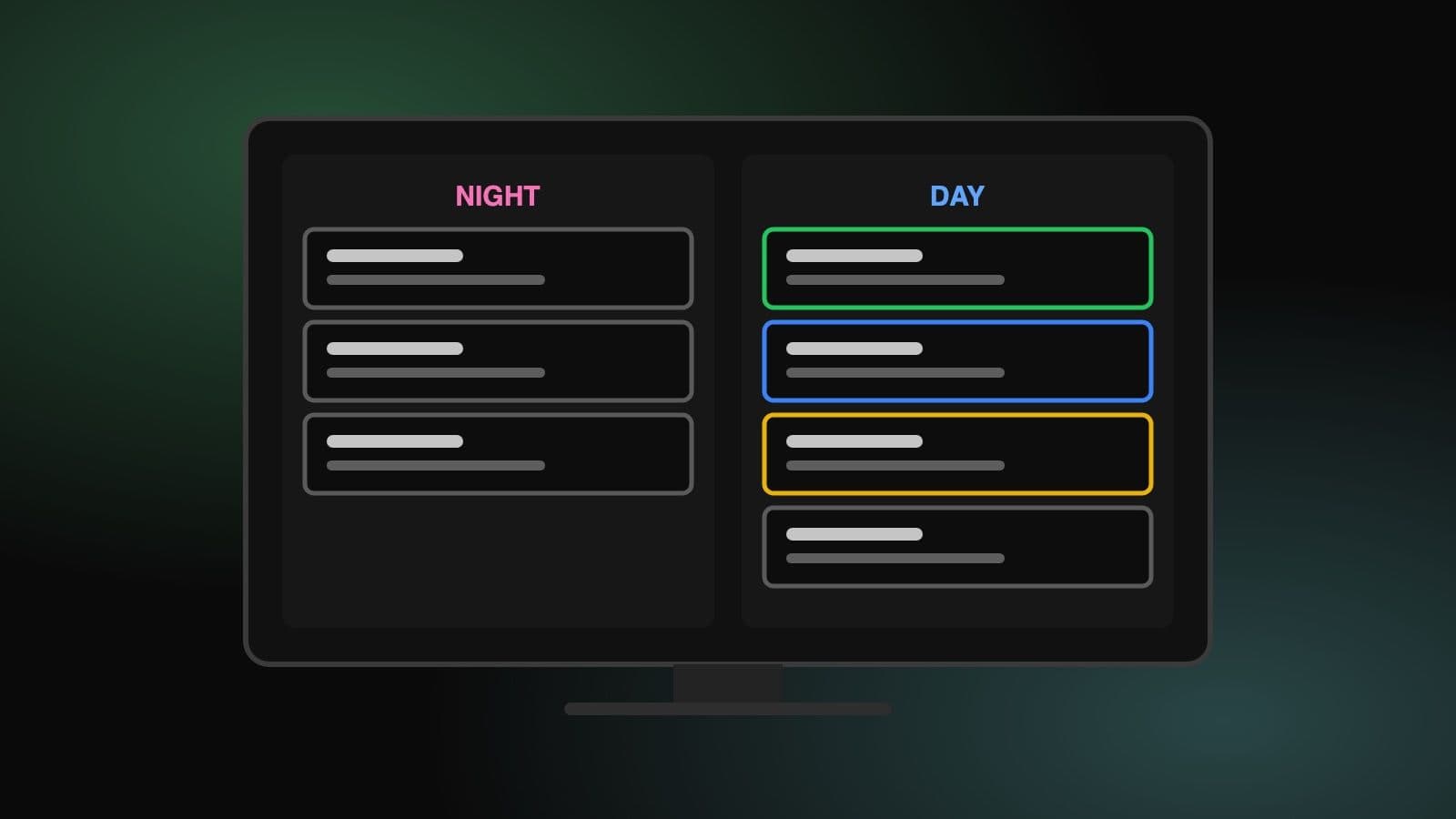
A real-time shift whiteboard that replaced an Excel file on a TV. Anyone on the network adds a ticket from their own computer, and it lands on the board sorted, in the right shift and colour-coded by status.
On this page
My team at Equinix tracks scheduled tickets on a whiteboard, so everyone on shift can see what's coming and plan before it starts. That whiteboard used to be an Excel file, on a laptop, plugged into a TV.
Adding a ticket went like this: send the details from your computer to the laptop, walk over to it, add a row, copy the data into each column, and pick the right colour for day or night shift. Completed and cancelled tickets had to be removed by hand too. And because everyone worked directly in the sheet, someone could accidentally break the formatting.
None of this is hard. It's just a small, repeated chore, and the kind of thing software should be doing.
The TV keeps showing a whiteboard, but it's now a web page. Anyone on the company network can open the app's address from their own computer and add a ticket there. It shows up on the TV straight away, sorted by time and placed in the right shift.
The board with made-up tickets, one in each state
A ticket's colour tells you where it is in its life, with nobody having to update it:
| Colour | Meaning | When |
|---|---|---|
| Grey | New | Scheduled for a later shift |
| Yellow | Starting soon | Starts later in the current shift |
| Blue | In progress | Between its start and end time |
| Green | Completed | Its end time has passed; removed 5 minutes later |
?ibx=DC1,DC2, so each screen can bookmark its own view.The alarm popup, which closes itself after 15 seconds
| Part | Choice |
|---|---|
| App | Next.js (App Router), React, TypeScript |
| Database | PostgreSQL with Drizzle ORM |
| Real time | Socket.IO on a small Express server |
| UI | shadcn/ui, Tailwind CSS |
| Forms | React Hook Form, Zod |
| Running it | Docker Compose, Traefik |
Saving and broadcasting are separate. The form calls a Server Action, which validates the ticket and writes it to Postgres. When that succeeds, the browser that made the change sends an event to the socket server, which passes it on to everyone.
Saving and broadcasting are two separate steps
The socket server is deliberately small. It holds no state, and for each event it does the same thing:
socket.on("schedule:added", (schedule) => {
  io.emit("schedule:added", schedule);
});
The status isn't stored anywhere either. The database only knows a ticket's start and end time, and each screen works out the colour from the clock once a second:
if (now >= startTime && now <= endTime) {
  setStatus("inProgress");
} else if (startTime > now && checkSameCurrentShift(schedule.startDate, new Date(now))) {
  setStatus("startSoon");
} else if (endTime < now) {
  setStatus("isCompleted");
} else {
So there's no background job that has to flip tickets from one state to the next, and no state that can drift out of step with the time.
Deciding what "current shift" means. Shifts change at 07:00 and 19:00, but the board treats the next shift as current from an hour earlier, at 06:00 and 18:00. That's deliberate. Staff usually arrive before their shift starts, and the outgoing shift uses that time to pass on anything important about the current or next shift. We call it the handover period. So the incoming shift's tickets turn yellow right then, and the people coming in can see at a glance which ones fall on their shift. The two windows are easy to mix up in code, so the check builds a key for each one (date plus day or night) and compares the keys.
Cleaning up without a server job. Open screens remove expired tickets themselves: each one checks every second for tickets that ended over 5 minutes ago, deletes them and tells the others. Several screens can do this at once without harm, since deleting a ticket twice changes nothing. The trade-off is that nothing gets cleaned up while no screen is open, which is fine for a board that's always on.
Sound in a browser. Browsers can refuse to play audio on a page nobody has interacted with. If the alarm is blocked, the app catches the failure and logs it, and the popup still appears. Clicking the fullscreen button on the TV counts as interacting, so the TV can play it. This also turned out to have an accidental upside: someone who opens the board on their own computer during the alarm period doesn't get an alarm going off at their desk, because they haven't clicked anything yet. The sound is meant for the TV, not their computer.
Time zones. The form's date is parsed on the server, so the server's time zone decides what a ticket's time means. The containers are pinned to Australia/Melbourne so that it matches the staff using the board.
Trust. The app has no login. The version my team uses relies on being reachable only from the company network. The demo linked here holds made-up data, and anyone can change it.
The most useful decision was what not to store. Leaving status out of the database removed a whole category of things that could go wrong, and most of the board's behaviour became a function of the current time.
It also reminded me that a small tool doesn't need much to be worth building. It replaced the walking and copying, and nobody can break the formatting any more.