Loading post…
In Part 1 I split my home network into VLANs. The Lenovo ThinkCentre M70q ended up on VLAN 20, SERVER: it can reach the internet, and my laptop on TRUSTED can SSH in, but the server can't start a connection to anything else in the house.
This part is about what runs on that box, and how a website on it reaches the internet. I had two goals:
Cloudflare Tunnel covers both, and Traefik sits behind it to route each hostname to the right container.
| Part | What's in it |
|---|---|
| Machine | Lenovo ThinkCentre M70q |
| CPU | Intel Core i5, 10th gen |
| RAM | 16 GB |
| Storage | 256 GB SSD |
| Network | 2.5 Gb Intel NIC on an A+E M.2 to RJ45 adapter |
| OS | Ubuntu Server 26.04.1 LTS |
The network card is the one from the end of Part 1: the Realtek card dropped packets on the FS switch, and the Intel one fixed it.
The server gets its IP from a DHCP reservation on the Brume, so it always lands on the same address in 192.168.20.0/24 without a static IP set on the server itself. If I ever rebuild the OS, the address comes back on its own.
The Brume's firewall from Part 1 already controls what can reach the SERVER VLAN. I added two more layers on the server itself.
ufw. The host firewall lets in one thing: SSH, and only from places I trust.
     To                         Action      From
     --                         ------      ----
[ 1] 22/tcp on tailscale0       ALLOW IN    Anywhere
[ 2] 22/tcp                     ALLOW IN    192.168.30.0/24   # SSH from TRUSTED (Deco)
[ 3] 22/tcp (v6) on tailscale0  ALLOW IN    Anywhere (v6)
There's no rule for port 80 or 443, and there doesn't need to be. Web traffic arrives through the tunnel, a connection the server opened itself, so ufw never sees it as a new incoming connection.
It's the same idea as the Brume, one layer down. Even if a firewall rule on the router were wrong, the server itself would still only answer SSH from those networks.
Tailscale. For remote access I installed Tailscale on the server, not on the router. The server joins my tailnet, and from my laptop I can SSH to it from anywhere, without a single port forward on the Brume. Rules 1 and 3 allow SSH on the tailscale0 interface, so it only works for devices signed in to my tailnet.
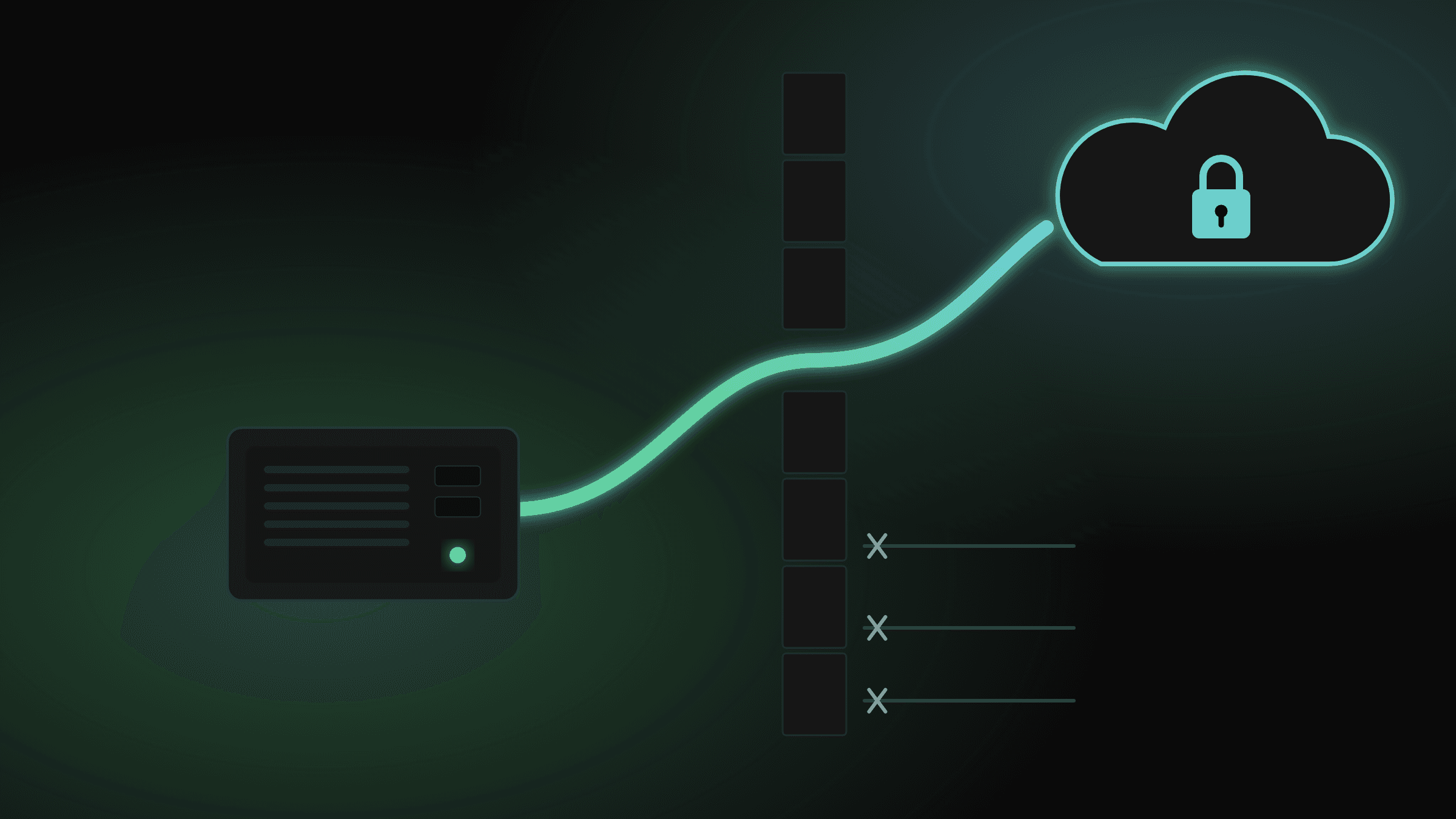
The tunnel starts from inside, so the router never accepts a new connection
The usual way to host something at home is a port forward: open 443 on the router, point it at the server, and publish your home IP in DNS. Cloudflare Tunnel turns that around.
A small container, cloudflared, runs on the server and opens connections out to Cloudflare. When someone visits the site:
cloudflared already has open.cloudflared passes it to http://traefik:80 on the Docker network.Yes, and it's worth being honest about it. In Part 1, SERVER is allowed out to the internet, and the firewall is stateful. The tunnel is a connection the server started, so everything Cloudflare sends back down it is allowed in as a reply. The Brume's WAN zone still drops every new inbound connection; it just never sees one.
So the router isn't what protects the website any more. Cloudflare, Traefik and the app itself are. What the VLAN design still gives me is containment: if something on the server is ever compromised, it's stuck on VLAN 20. It can't reach my laptop, my parents' devices or the router's admin page.
That trade was the point. I gave up "nothing gets in" for "only what I route gets in, my IP stays hidden, and I never touch a certificate".
The visitor's HTTPS connection ends at Cloudflare. The leg from Cloudflare to cloudflared runs inside the tunnel, which is encrypted. From cloudflared to Traefik to the app it's plain HTTP, but that traffic never leaves the server: it stays on a Docker network inside one machine. That's why Traefik only needs a web entrypoint on port 80.
Both run from one compose file and share a Docker network called proxy:
services:
  traefik:
    image: traefik:v3.7
    container_name: traefik
    restart: unless-stopped
    command:
      - --providers.docker=true
      - --providers.docker.exposedbydefault=false
      - --providers.docker.network=proxy
      - --entrypoints.web.address=:80
      - --entrypoints.web.forwardedHeaders.trustedIPs=172.16.0.0/12
      - --api.dashboard=true
      - --api.insecure=true
      - --log.level=INFO
    ports:
The lines that matter:
ports: for 80. Traefik isn't published on the host at all. The only thing that can reach it is cloudflared, over the proxy network. Nothing on the LAN or the internet can talk to it directly.exposedbydefault=false. Traefik watches Docker, but it only routes a container that opts in with traefik.enable=true. Starting a new container doesn't accidentally put it on the internet.forwardedHeaders.trustedIPs. Requests reach Traefik from cloudflared's Docker address. Trusting the Docker range means Traefik keeps the X-Forwarded-For header, so apps see the visitor's real IP instead of the container's.api.insecure=true serves the dashboard on 8080 inside the container, and the port is only published on the server's tailnet address. I can open it from my laptop over Tailscale; nobody on the LAN can. Binding to one IP matters because Docker's published ports skip ufw: Docker writes its own iptables rules, so a plain 8080:8080 would be open on every network the server is on, whatever ufw says. There's no 8080 rule in my ufw, and the dashboard still opens over Tailscale..env. The tunnel is managed from the Cloudflare dashboard, and the container only needs its token, which stays out of the compose file and out of git.In the Cloudflare dashboard, the tunnel has three routes: keithphan.com, www.keithphan.com and the wildcard *.keithphan.com. All of them go to http://traefik:80. Cloudflare doesn't need to know which container serves what; Traefik decides that.
Every hostname on the tunnel goes to Traefik
The wildcard is what makes adding an app cheap. A new subdomain already reaches Traefik, so putting a new app online only takes a few labels on its container, with no change in Cloudflare. A subdomain that no container claims gets Traefik's plain "404 page not found".
This site is one of the apps. Its compose file adds four labels and joins the proxy network:
  app:
    image: ptckiet/keithphan:latest
    labels:
      - traefik.enable=true
      - traefik.http.routers.keithphan.rule=Host(`keithphan.com`)
      - traefik.http.routers.keithphan.entrypoints=web
      - traefik.http.services.keithphan.loadbalancer.server.port=3000
    networks:
      - app-network
      - proxy

networks:
  app-network:
  proxy:
    external: true
Host(`keithphan.com`) tells Traefik which requests are this app's, and server.port=3000 is where the Next.js server listens inside the container. proxy is marked external because the Traefik stack creates it; this stack only joins it.
The app sits on two networks on purpose. It's on proxy so Traefik can reach it, and on app-network to talk to its Postgres database. Postgres is only on app-network, so neither Traefik nor cloudflared can see it at all.
From here, this server will host the demos of my projects, each one only a few labels away thanks to the wildcard route, plus some services for my own use.
If you have read up to here, you are already a part of the lab: this page came to you from a mini PC on VLAN 20, through the tunnel and Traefik in the diagram above.